I’m Turning My Old 3D Printer Into a Pen Plotter — And You Should Too
My Creality Ender 3 has been sitting in the corner of the workshop for six months. I upgraded to a Bambu Lab P1S last year and the Ender’s been collecting dust ever since. Selling it would net maybe $100 — not worth the hassle of packing and shipping.
Then I saw someone on the Arduino blog repurpose their old printer as a pen plotter controlled by an Arduino UNO Q. That clicked immediately.
Why a Pen Plotter?
I do a surprising amount of hand-drawn diagrams for our internal documentation — system architecture, database schemas, deployment flows. I’ve tried drawing tablets and iPad + Pencil, but there’s something about physical pen on paper that makes diagrams easier to reason about.
A pen plotter takes SVG files and draws them with actual pens. You can swap between different colors and line weights. The output feels like a technical drawing from the 80s — in a good way.
The Hardware Path
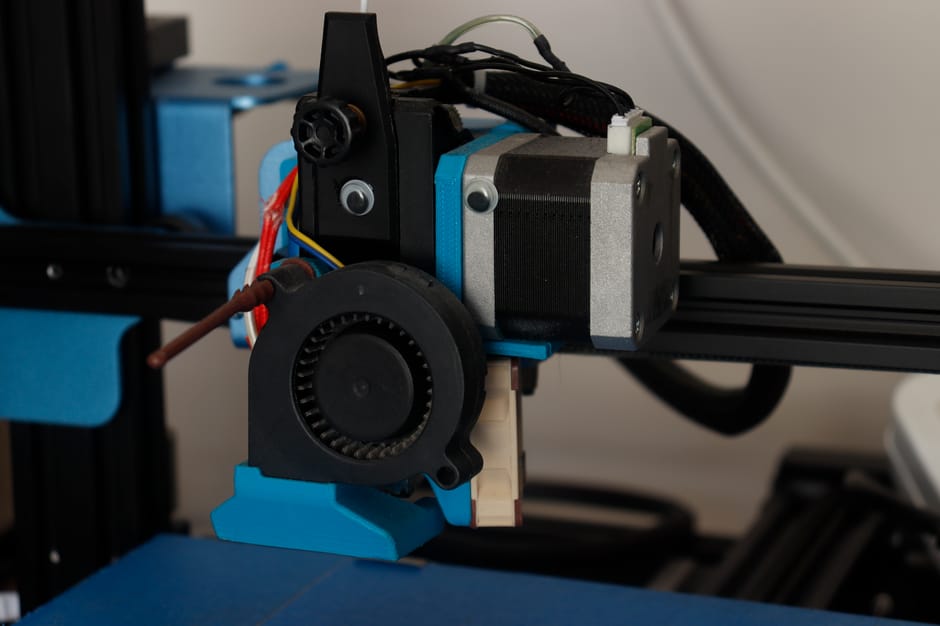
The Ender 3 already has everything you need mechanically: X and Y axes with stepper motors, a Z axis to lift the pen, and a rigid frame. You’re basically swapping the hotend for a pen holder and flashing different firmware.
The Arduino UNO Q handles the control side — it runs GRBL (the open-source CNC firmware) instead of Marlin. GRBL interprets G-code commands and drives the steppers. The key difference from 3D printing: no extruder, no heated bed, no temperature control. Just X, Y, and Z-up/Z-down.
The pen holder is the only custom part. I’m 3D printing a bracket that clamps onto the existing hotend mount and holds a standard Sharpie or gel pen with a spring for consistent pressure. Total BOM cost: about $15 for the Arduino UNO Q and some jumper wires.
What I’m Aiming For
My plan is a two-phase project:
Phase 1: Get it working. GRBL on the UNO Q, stepper drivers wired up, basic Inkscape SVG-to-G-code conversion. I want to see a recognisable drawing on paper before I optimise anything.
Phase 2: Add a web interface. Instead of SD cards and manual G-code uploads, I want to drag an SVG into a browser, hit “Plot,” and have the drawing appear. This is where the fun overlaps with my day job — I’ll build a small Angular frontend with a Python gcode-sender backend.
The Real Reason I’m Doing This
Honestly, I don’t need a pen plotter. I could buy one for $200. But there’s something satisfying about giving an old machine a second life instead of letting it sit idle.
The 3D printer community has a phrase: “the machine that builds the machine.” RepRap printers were designed to print their own replacement parts. This project flips that idea — “the machine that becomes a different machine.” Same steppers, same frame, completely different output.
Also, my coworkers think it’s hilarious that the guy who builds ERP software during the week spends weekends making a robot draw on paper. They’re not wrong.
The conversion is my next weekend project. I’ll document the process — especially the firmware flashing and pen holder design — in case anyone else has an old printer gathering dust.
Related: I Let AI Generate an Arduino Sketch — Here’s What Happened.
Related: The 2026 Hardware Revolution: Arduino, Edge AI, and Matter 1.4.
Discover more from Susiloharjo
Subscribe to get the latest posts sent to your email.